
Product demos have become the backbone of sales and promotion, especially for small businesses, startups, and online sellers. A well-made demo video doesn’t just show off what your product can do—it builds trust, explains value, and makes people click that “Buy Now” button. But here’s the truth: not everyone can afford professional voiceovers.
CapCut, a powerful and user-friendly desktop video editor, offers a built-in AI Voice Generator that helps you create polished voiceovers that sound clear, expressive, and natural — all without needing a microphone or hiring talent. In this article, we’ll explore how to use this feature to craft compelling product demos, step by step.
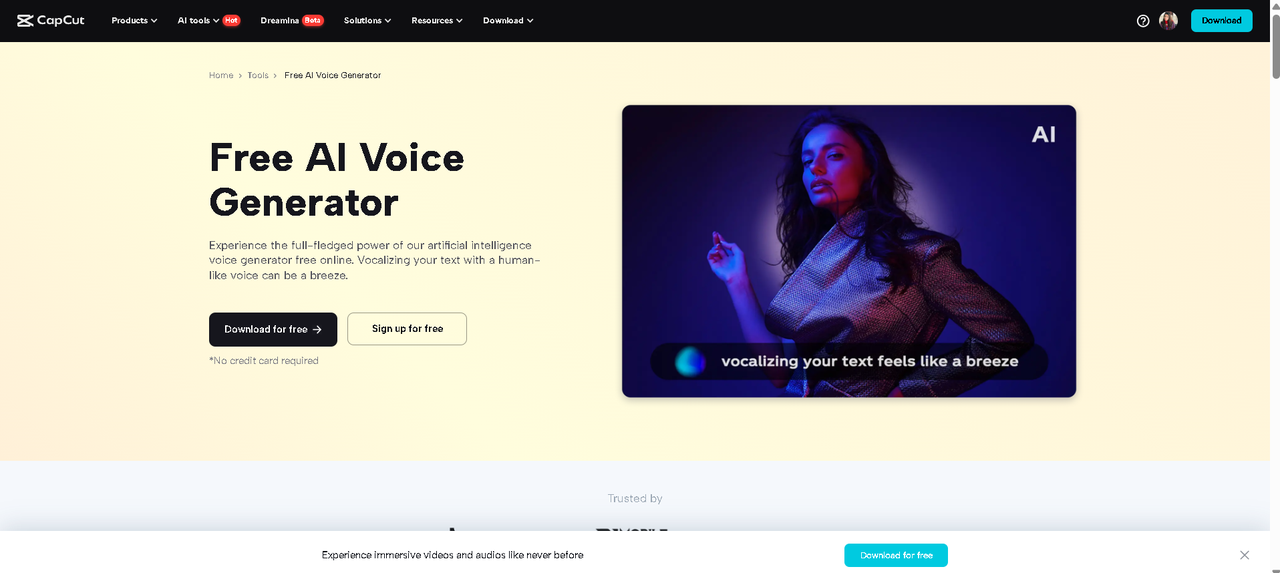
Why Use AI Voiceovers for Product Demo Videos?
Using AI voiceovers is smart, especially when you’re tight on time or budget. Here’s why:
-
Cost-Effective: No need to pay for voice artists or studio time.
-
Multiple Voice Options: Choose from different accents, tones, genders, and styles.
-
Quick Edits: Need to change a line? Just update the text—no re-recording required.
-
Consistency: AI voices deliver the same tone every time, making your brand sound professional and polished.
-
No Equipment Needed: Forget about microphones, soundproof rooms, and editing audio tracks.
CapCut’s AI Voice Generator gives you this control in just a few clicks. Explore CapCut’s amazing AI tools, including Text to Speech AI, AI Video Generator, and more, to add magic to your video.
How to Create Product Demos with Professional Voiceovers Using CapCut AI Voice Generator
Let’s break it down into a simple process that even beginners can follow.
Step 1: Write Your Product Script and Create a Visual Storyboard
Before jumping into the software, take a moment to outline your demo. Answer the following:
-
What problem does your product solve?
-
What are the standout features?
-
How does it work?
-
What action do you want viewers to take?
Then, write your voiceover script. Keep it short, conversational, and benefit-focused. Example:
“Introducing the SmartClean Pro—your personal cleaning assistant. With its AI-powered sensors and cordless design, cleaning your home is now faster and easier than ever.”
Once the script is ready, map your visuals—record screen demos, product shots, or animations that align with each voiceover line. If you’re showcasing a physical product, record different angles and usage scenarios using your phone or camera.
Step 2: Use CapCut Desktop to Import Visuals and Add Voiceover
Now the fun begins! Launch CapCut Desktop Video Editor and follow these steps:
Create a New Project
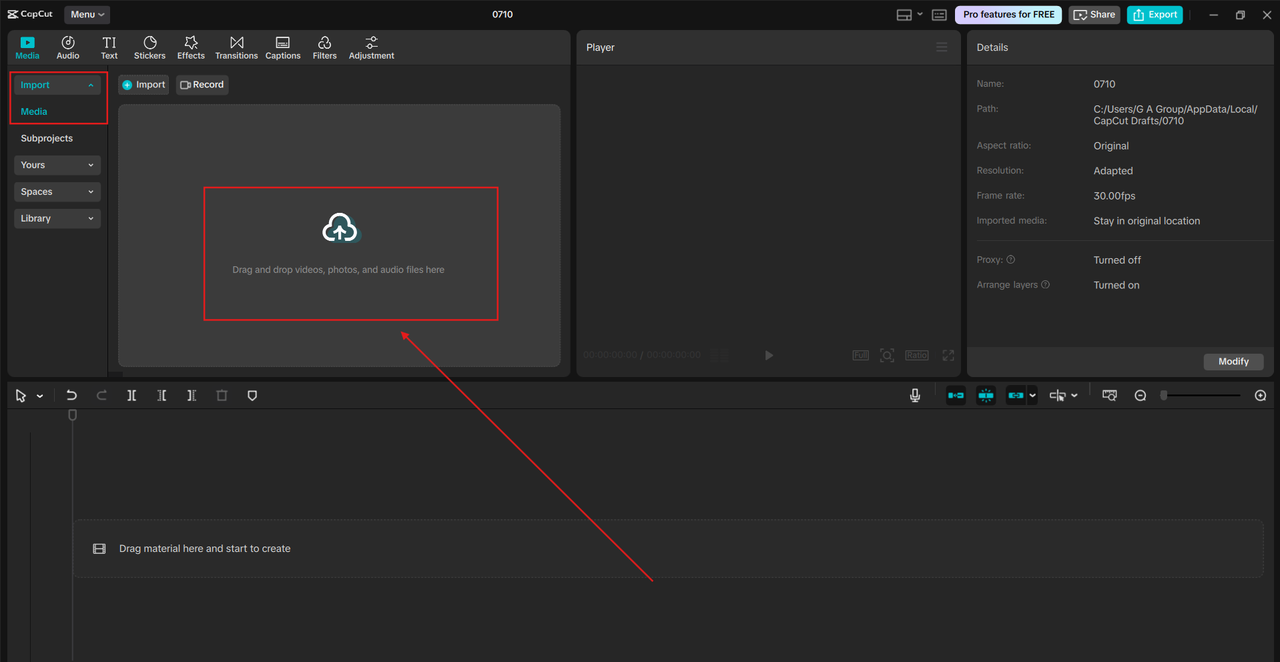
Open CapCut on your PC and create a new project. Drag and drop your product video clips, screen recordings, or images onto the timeline.
Add AI Voiceover Using AI Voice Generator
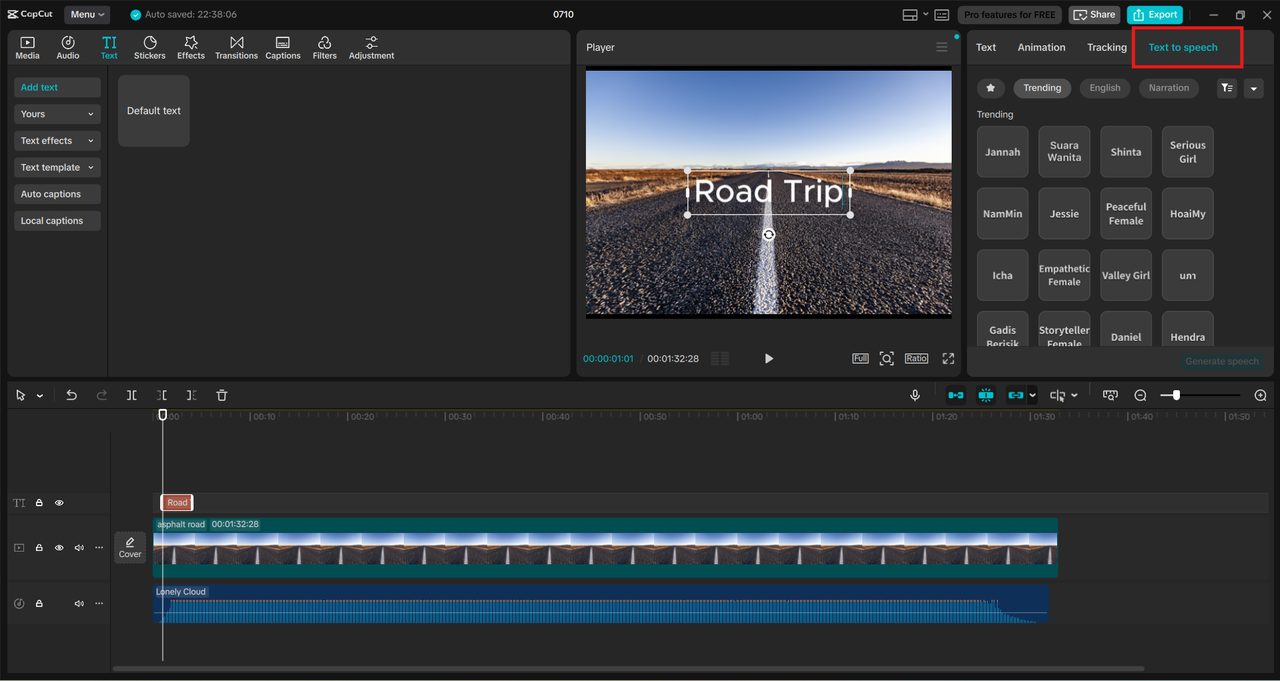
Click on the “Text” tab, then choose “Text to speech”. Paste in your script or type it directly. Choose from a range of voice types—male, female, upbeat, calm, American, British, etc. Click “Generate speech” and preview how it sounds.
Place the Voiceover on the Timeline
Once satisfied, drag the AI-generated audio to your timeline. You can trim, split, or move it to sync with your video perfectly.
Fine-Tune Your Demo
Use CapCut’s tools to:
-
Add transitions and zooms.
-
Highlight key product features with animated text.
-
Insert arrows or stickers to guide the viewer’s attention. Try AI Video Upscaler to enhance the quality of your video.
Step 3: Polish and Export Your Final Product Demo
Now that your visuals and voiceover are synced, it’s time to polish the final cut.
-
Add Background Music: Choose from CapCut’s royalty-free music to create a mood. Lower the volume to ensure the voiceover remains clear.
-
Use Filters and Enhancements: Make your product pop by enhancing lighting, contrast, or sharpness.
-
Subtitles: Add auto-captions or manually insert text for accessibility and better engagement.
-
Brand Elements: Include your logo, colors, or outro screen to reinforce brand identity.
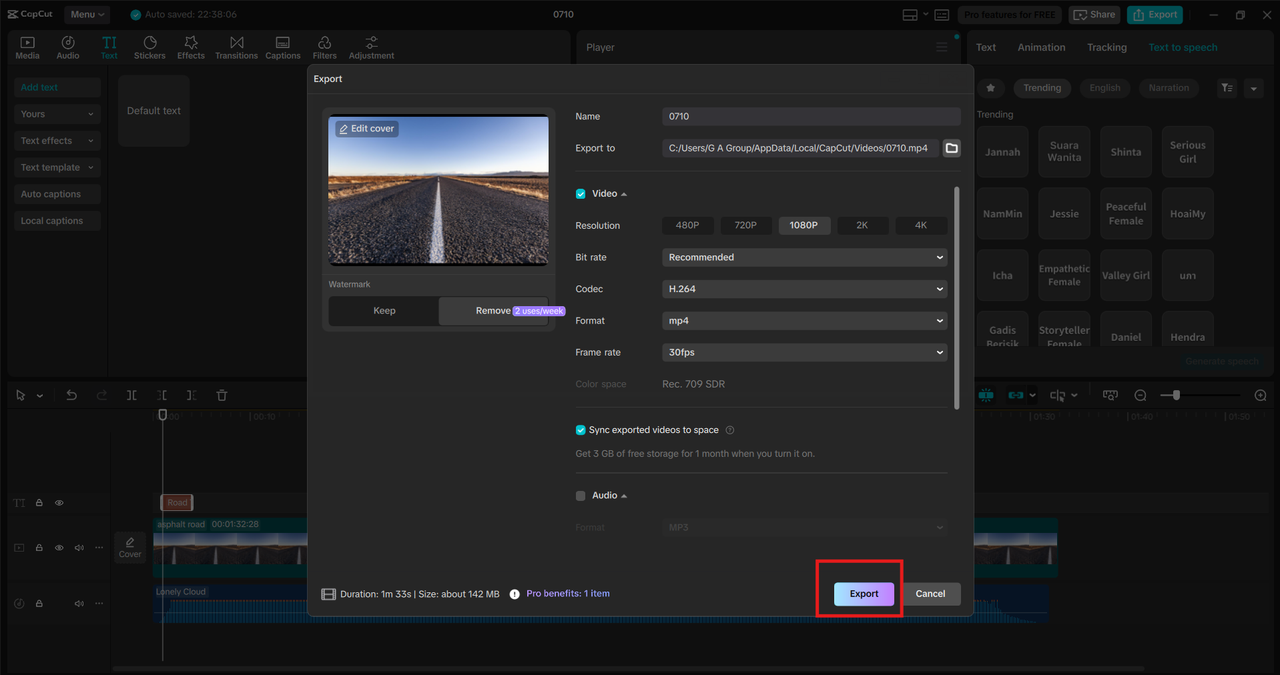
Finally, export the video in high quality (1080p or 4K) and upload it to platforms like YouTube, TikTok, Instagram, or your online store.
Pro Tips to Maximize the Impact of AI Voiceovers in Product Demos
-
Match Voice with Product Tone: Selling software? Choose a calm, professional tone. Selling beauty products? Opt for warm and friendly.
-
Break Long Scripts: Divide long voiceovers into short, clear chunks. This helps keep viewers engaged and ensures easier syncing.
-
Use Text to Support Audio: On-screen text like “Step 1: Plug it in” reinforces voiceover instructions and keeps your message clear even on mute.
-
Test Different Voices: CapCut gives multiple AI voice options—experiment until you find the one that best suits your brand.
Example Scenarios: What Kinds of Demos Can You Make?
Whether you’re a small business owner, affiliate marketer, or indie developer, there’s a product demo idea that fits you.
-
Unboxing and Setup Guides: Show how easy it is to get started with your product.
-
Feature Walkthroughs: Break down product features step by step with a professional voiceover guiding the user.
-
Before & After Comparisons: Use visuals and AI narration to highlight transformations your product can achieve.
-
App Demonstrations: Record your screen and overlay a clear voice explaining navigation, buttons, or features.
Final Thoughts
CapCut’s AI Voice Generator levels the playing field for creators and entrepreneurs. You no longer need a studio setup or expensive tools to produce engaging product demos. Just write your script, generate your voiceover, sync it with video, and export. Whether you’re launching a new gadget, promoting a digital tool, or selling crafts on Etsy, CapCut helps your message sound—and look—professional.
About the Author
